

Today is World Backup Day! Data security is now an essential aspect of business continuity and data backups are a crucial component of that practice. Let’s take a look at how data back up methods have changed over time and what the future of the industry could hold.

Punch Cards
The very early digital computers used punch cards to make external backups of computer commands. These punch cards were simply sheets of paper with dots on them that you then punched and copied for a backup of commands.
Punch cards originated in the US in the 1880’s when Herman Hollerith (a Census Bureau employee) was looking for a more efficient way to compile census data. The 10th US census took a team of people 8 years to finish gathering the data, leading to Hollerith looking for a way to enable the census data to be gathered and processed more efficiently, before the next 10 year census was due. Punch cards had been used in the French textile industry for nearly 100 years. Hollerith took that idea and created a machine that could read punch cards to record many sets of data at once. The Hollerith machine lowered a series of needles onto a punch cards. Any needles that passed through the holes in the card would make contact with a bed of mercury which would close an electrical circuit, feeding back to a counter that recorded every time there was a hole in a card. Hollerith’s machine worked so well that the 1980 Census data was collated in under a year, compared to the predicted 13 years they believed it would take manually.
Hollerith went on to found the International Business Machines Corporation, more commonly known as IBM.
Punch cards originated in the US in the 1880’s when Herman Hollerith (a Census Bureau employee) was looking for a more efficient way to compile census data. The 10th US census took a team of people 8 years to finish gathering the data, leading to Hollerith looking for a way to enable the census data to be gathered and processed more efficiently, before the next 10 year census was due. Punch cards had been used in the French textile industry for nearly 100 years. Hollerith took that idea and created a machine that could read punch cards to record many sets of data at once. The Hollerith machine lowered a series of needles onto a punch cards. Any needles that passed through the holes in the card would make contact with a bed of mercury which would close an electrical circuit, feeding back to a counter that recorded every time there was a hole in a card. Hollerith’s machine worked so well that the 1980 Census data was collated in under a year, compared to the predicted 13 years they believed it would take manually.
Hollerith went on to found the International Business Machines Corporation, more commonly known as IBM.
Magnetic Tapes
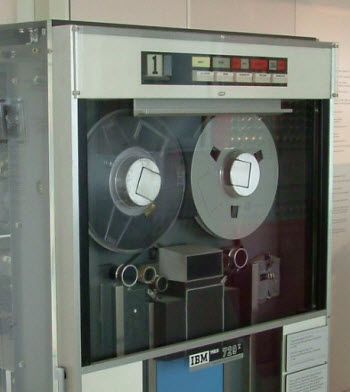
Whilst looking for a solution to aid in processing census data, Herman Hollerith experimented with punch tape. Punch tape is very similar to a punch card, only in the form of a roll. Hollerith didn’t proceed with punch tape due to it being more fragile than punch cards.
Forty years later a German engineer named Fritz Pfleumer took Hollerith's idea of a punch tape and made it viable. Pfleumer coated the tape in an Iron-Oxide material which permanently magnetised it. Pfleumer then used outside magnetic charges to write data onto the strips which could then be read and written by a machine.
With a single roll of magnetic tape you could store as much data as 10,000 punch cards. Magnetic tapes could also be written over. Magnetic tape was the first form of data backup that could be adopted by businesses of all sizes and even some home users.
Magnetic tapes weren’t perfect. Information had to be stored sequentially which made data recovery of specific information difficult as you needed to find the exact spot on the tape that you stored the data to.
Forty years later a German engineer named Fritz Pfleumer took Hollerith's idea of a punch tape and made it viable. Pfleumer coated the tape in an Iron-Oxide material which permanently magnetised it. Pfleumer then used outside magnetic charges to write data onto the strips which could then be read and written by a machine.
With a single roll of magnetic tape you could store as much data as 10,000 punch cards. Magnetic tapes could also be written over. Magnetic tape was the first form of data backup that could be adopted by businesses of all sizes and even some home users.
Magnetic tapes weren’t perfect. Information had to be stored sequentially which made data recovery of specific information difficult as you needed to find the exact spot on the tape that you stored the data to.
Floppy Disks
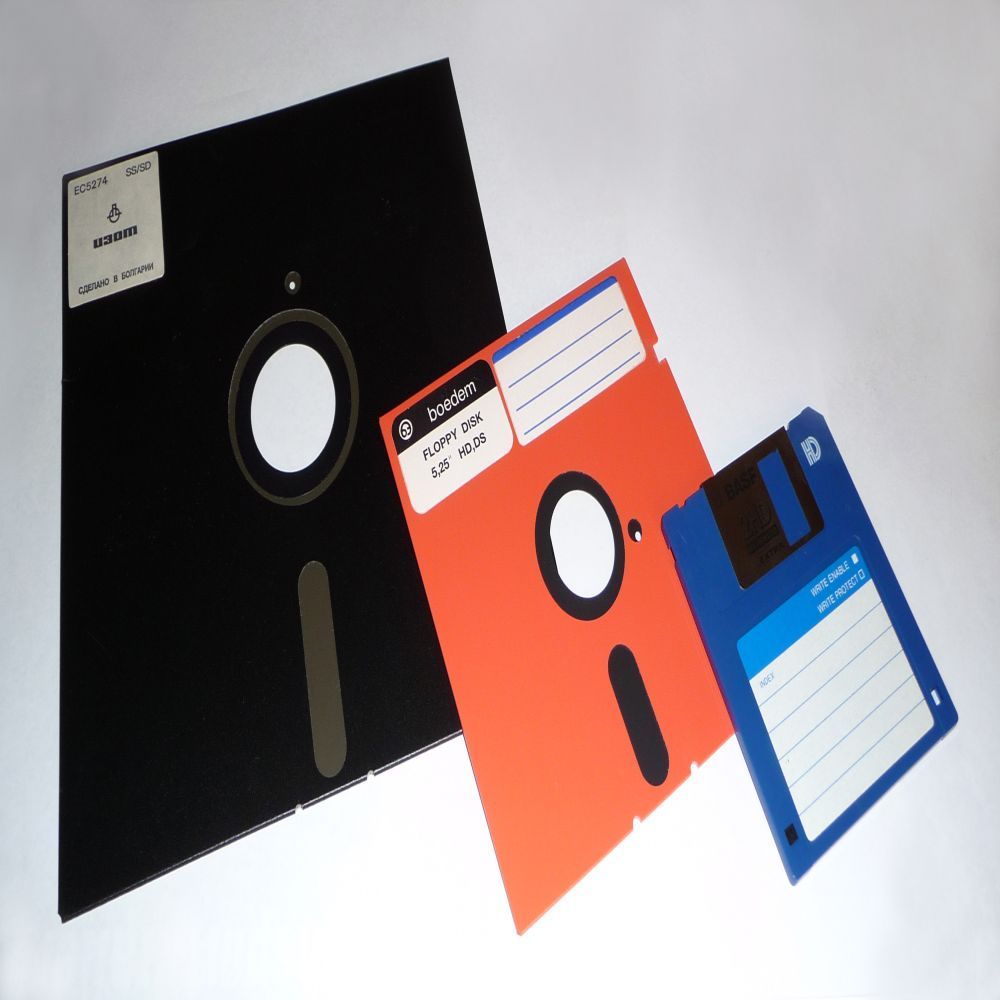
Pfleumer's idea of using a magnetically charged tape to store data was so revolutionary that 40 years later Alan Shugart (a field engineer at IBM) adapted the idea to form the Floppy Disk Drive (FDD). Floppy disks used the same concept of using magnetically charged material to record data, but with a different design. Rather than a roll, Floppy Disks were flat meaning that they did not need to store data sequentially and data could be recovered and restored instantly.
Floppy Disks became such an industry standard that their image is still the symbol for the save function on many computer programs. As the demand for more storage grew floppy disks could no longer keep up, with a maximum capacity of a few hundred kilobytes at best.
Floppy Disks became such an industry standard that their image is still the symbol for the save function on many computer programs. As the demand for more storage grew floppy disks could no longer keep up, with a maximum capacity of a few hundred kilobytes at best.
Hard Drives (Spinning Disks)
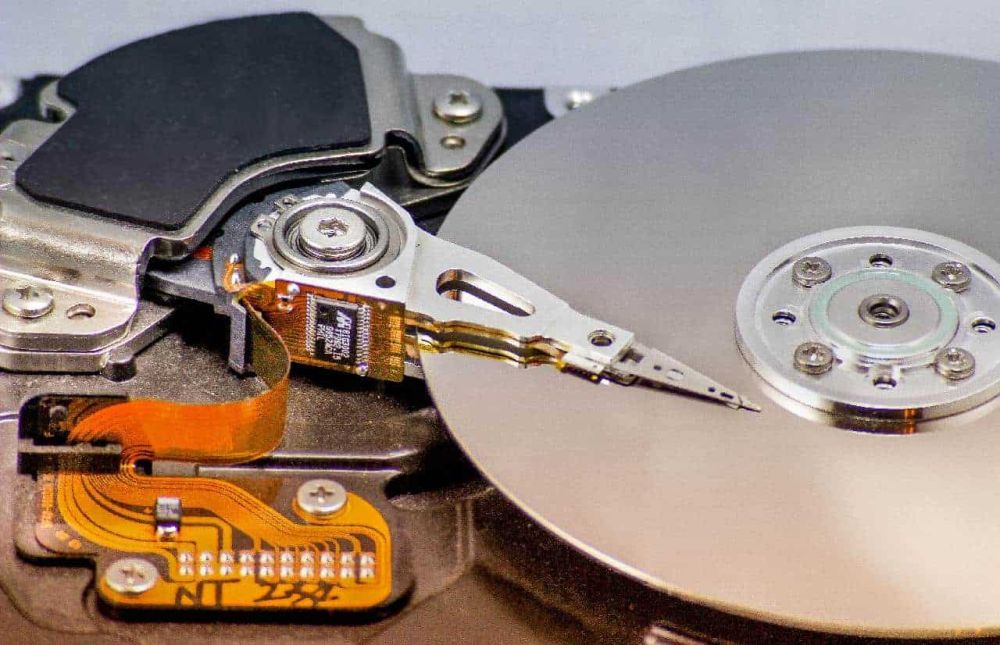
The first hard drive dates back to 1956, when IBM produced the 305 RAMAC. The 305 RAMAC was larger than 2 fridges and only held 3.75 megabytes of storage space. Due to its size and limited capacity it did not take off with most businesses. The basic principle of a hard drive is very similar to a floppy disk, with the main difference being that a hard drive contains its own read/write heads, whereas floppy disks rely on an external computers read/write head.
Having all the equipment together meant that hard drives could soon become much smaller and more affordable. Hard drives are now commercially available at up to 6 terabytes of storage.
The problem with hard drives is that they have moving parts which can impact their longevity. The average lifespan for an external hard drive, assuming no physical damage occurs, is around 3-5 years, depending on the make, model and conditions it is stored in (Data Recovery Specialists, 2023).
Having all the equipment together meant that hard drives could soon become much smaller and more affordable. Hard drives are now commercially available at up to 6 terabytes of storage.
The problem with hard drives is that they have moving parts which can impact their longevity. The average lifespan for an external hard drive, assuming no physical damage occurs, is around 3-5 years, depending on the make, model and conditions it is stored in (Data Recovery Specialists, 2023).
Flash Drives (Solid State Drives)
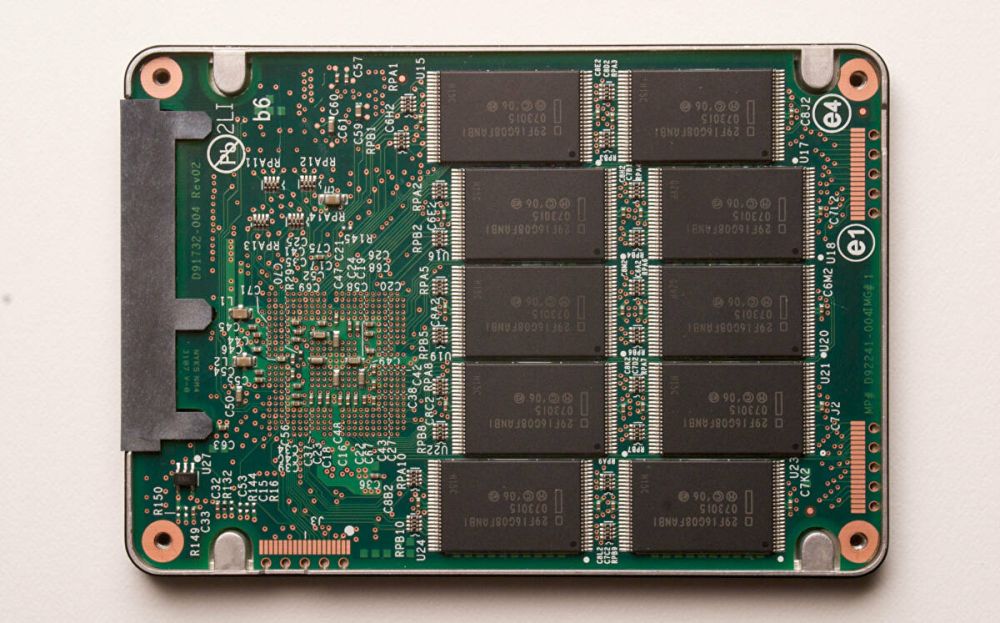
Solid state drives (SSDs) were developed as a faster storage alternative to hard drives. Initially, SSDs were used alongside hard drives. Eliminating read-write heads and spinning disks saved space and enabled faster memory recall, however semiconductor technology was still young and early SSDs were too expensive for implementation outside of supercomputers by IBM and Cray.
The first enterprise scale SSD was released in 1976 with a capacity of 2MB at a cost of $9700. Toshiba released the first commercial flash-based SSDs in 1987. A few years later in 1991, SanDisk entered the market with a 20MB device costing $1000.
Since then, improvements in technology have lowered prices and increased capacity. SSDs are now a standard piece of hardware in laptops, tablets and other devices, and whilst they are still slightly more expensive per GB of storage compared to a spinning disk they are much more accessible than in previous years.
The first enterprise scale SSD was released in 1976 with a capacity of 2MB at a cost of $9700. Toshiba released the first commercial flash-based SSDs in 1987. A few years later in 1991, SanDisk entered the market with a 20MB device costing $1000.
Since then, improvements in technology have lowered prices and increased capacity. SSDs are now a standard piece of hardware in laptops, tablets and other devices, and whilst they are still slightly more expensive per GB of storage compared to a spinning disk they are much more accessible than in previous years.
Data Centres
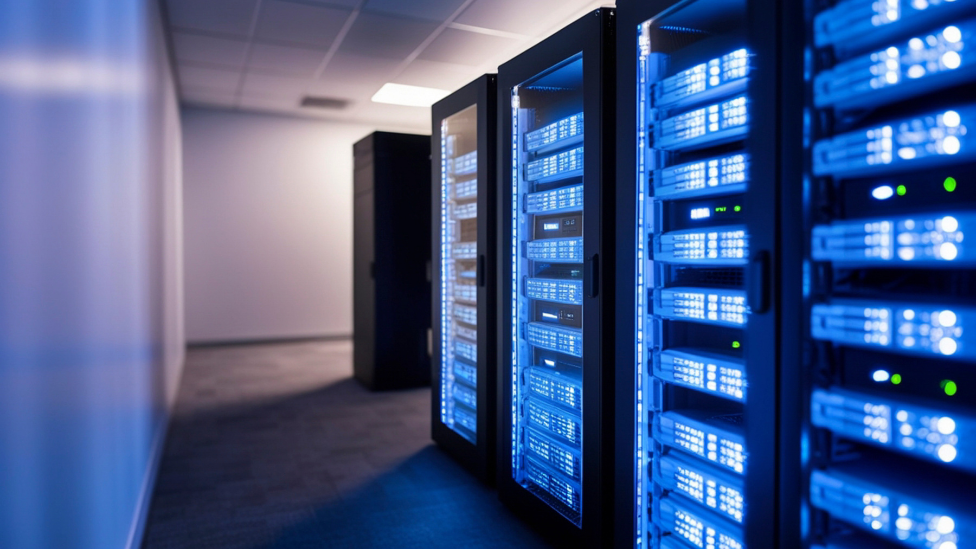
With the invention of the Internet we began to backup data in a totally different way. In the 1980’s & 1990’s the Internet became a marketplace. It become more and more important for businesses to have a presence online and data centres were built to ensure a consistent online presence.
On a basic level, data centres are made up of lots and lots of hard drives all plugged in together. Initially, only large businesses could afford to have their own data centres, leaving smaller businesses at a disadvantage. The introduction of Colocation opened up access to data centres to smaller businesses. Colocation allows businesses to rent space within a data centre without having to build and maintain their own facility.
On a basic level, data centres are made up of lots and lots of hard drives all plugged in together. Initially, only large businesses could afford to have their own data centres, leaving smaller businesses at a disadvantage. The introduction of Colocation opened up access to data centres to smaller businesses. Colocation allows businesses to rent space within a data centre without having to build and maintain their own facility.

The Cloud
Business data centres and colocation soon paved the way in the 2000’s for public data centres, which are now referred to as ‘The Cloud’. The Cloud allows individuals to have their own tiny piece of a data centre to which they can backup their data to a safe and secure location. The businesses behind public ‘cloud’ data centres can manage data for thousands of individuals and businesses at once, bringing the cost down for everyone.
With so much data being stored in one location cloud data centres can be a target for hackers. It is important to ensure that your data is stored with a cloud provider that focuses heavily on security, both physical and logical.
With so much data being stored in one location cloud data centres can be a target for hackers. It is important to ensure that your data is stored with a cloud provider that focuses heavily on security, both physical and logical.
What could the future of backup hold?
Immutability
The rise of ransomware over recent years has led firms to look again at offsite backups, providing an air gap between data and their day-to-day systems. However, recovering data from an offsite archive can be a slower process. Immutable copies of data can run locally, but typically on different media to the main system. Immutable backups are backup files that cannot be altered in any way. A built-in immutable backup helps ensure rapid recovery from ransomware attacks by ensuring you always have a clean backup.
Artificial Intelligence
Artificial Intelligence (AI) and Machine Learning are likely to bring additional features and automation to backup systems over the coming years. AI and machine learning technologies are already being used to help identify ransomware and predict if and when an infection occurred. Algorithms are being developed to recognise the differences between real and false disaster recovery situations, able to distinguish between connectivity blips and application outages. This could allow proactive recoveries to occur, eliminating outages before they are detected by end users.
Changes in Hardware
The majority of backups are still written to spinning disk, whether that be internally within a business or through cloud. Over the next decade we expect to see the growth of flash storage as larger capacities bring the price of flash media closer to disk. Flash storage (Solid State Drives) do not have the moving parts that a hard drive (Spinning Disk) has, meaning it can maintain a lower temperature with higher performance. Flash storage are also up to 100 times faster than Spinning Disks and can be more energy efficient as it has no moving parts.
Despite Industry pundits saying the end of tape is nigh, manufacturers are continuing to find ways to increase capacity, making it highly cost-effective for storage of very large backups. This means tape backups are here to stay for the foreseeable future.
Despite Industry pundits saying the end of tape is nigh, manufacturers are continuing to find ways to increase capacity, making it highly cost-effective for storage of very large backups. This means tape backups are here to stay for the foreseeable future.
Data Sovereignty
In the context of data backup, sovereignty refers to where the data is actually stored. It is important to understand exactly where your data is being stored, especially if you are using a third-party cloud backup supplier. Just because your data is being stored on a drive somewhere else, does not guarantee that it is safe and secure. Data protection laws vary from country to country. If your backup is being stored in a country with weaker data protection laws then your data could be at increased risk of being hacked, stolen or lost. GDPR requires that all data collected on citizens must be either stored in the EU and subject to European privacy laws, or within a country that has similar levels of protection. If you are unsure on the location of your data backup, you could potentially be breeching GDPR.
The location of your backups is also important when it comes to accessing that data in the event of disaster recovery. If your critical data is stored across the globe and would take 2 weeks to recover this could present a problem.
Over the next few years, we expect to see an increase in the importance of data sovereignty, and businesses having to be more aware of where exactly their data is held. We expect to see more pressure being put on cloud service providers by businesses to declare where exactly they are storing data.
The location of your backups is also important when it comes to accessing that data in the event of disaster recovery. If your critical data is stored across the globe and would take 2 weeks to recover this could present a problem.
Over the next few years, we expect to see an increase in the importance of data sovereignty, and businesses having to be more aware of where exactly their data is held. We expect to see more pressure being put on cloud service providers by businesses to declare where exactly they are storing data.
Data Sovereignty
Many SaaS platforms, including Microsoft 365, Salesforce and Google Workspace, operate on a ‘Shared Model of Responsibility’. Whilst these companies offer application availability and tolerance for faults and redundancy, the responsibility for protecting data from breaches and data loss lies with the end user. This means that despite the growth of SaaS, responsibility for information and data, devices, accounts and identities remains with individual businesses and is just as crucial as before.